←Back to Board
Bughunter Setup
2. Install in Chrome
1
Copy this and paste it into Chrome’s address bar:
2
Turn on Developer mode (top-right toggle)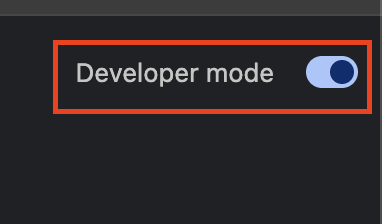
3
Click Load unpacked and select the unzipped chrome-extension folder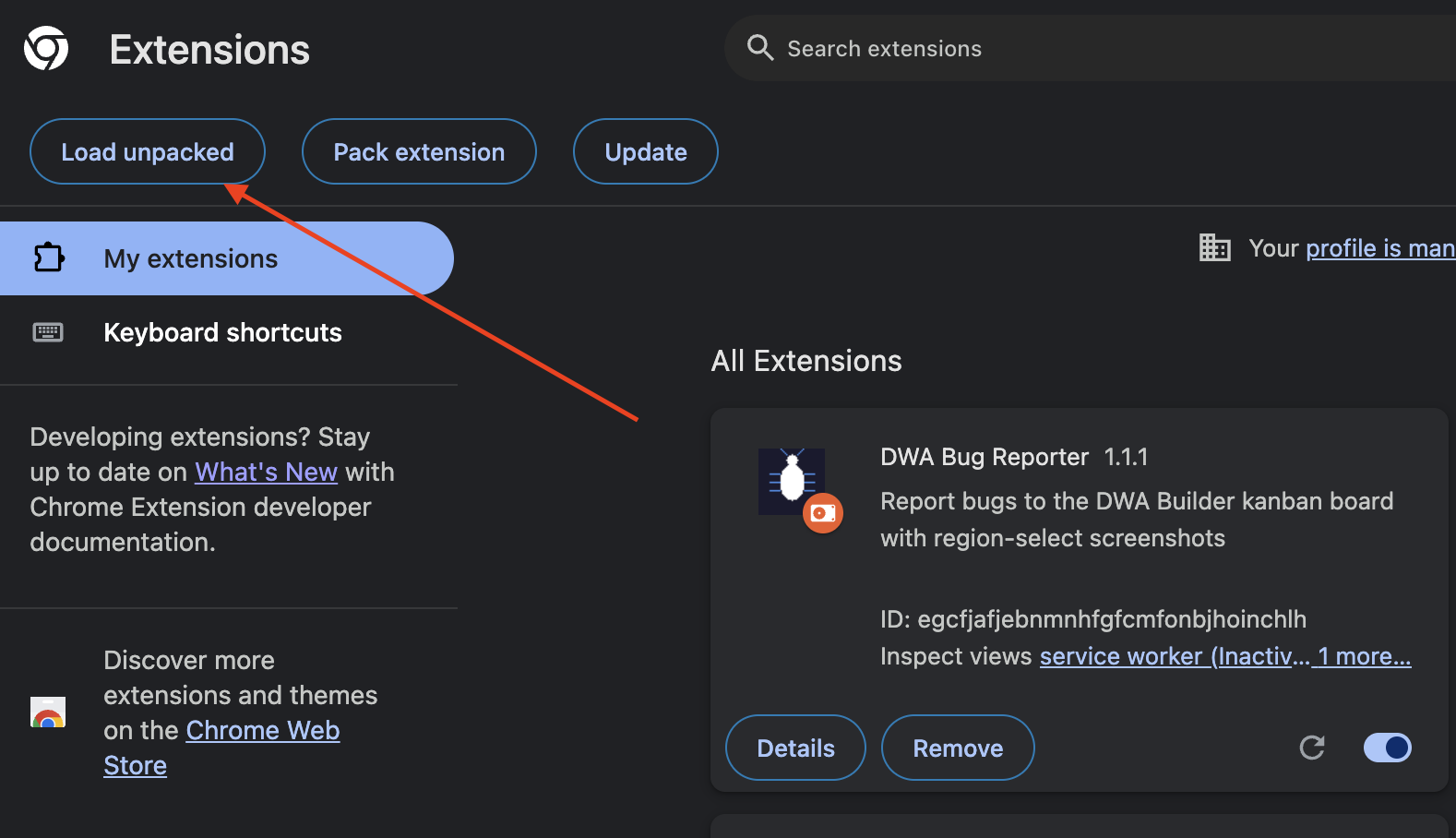
4
Pin it — click the puzzle piece icon in Chrome’s toolbar and pin DWA Bughunter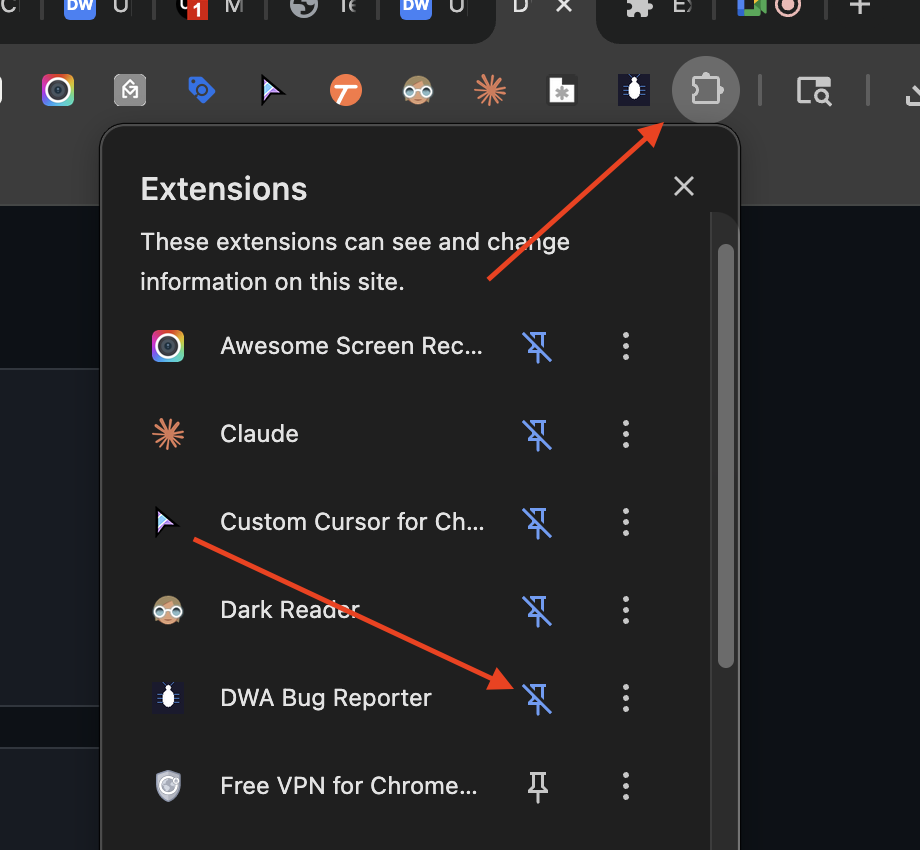
3. Configure
1
Right-click the extension icon and select Options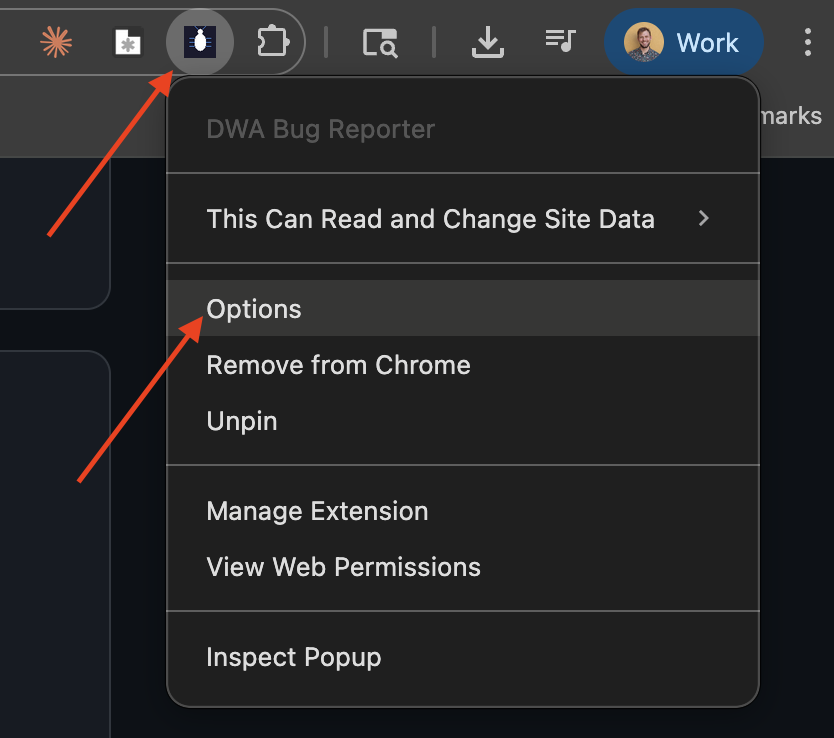
2
Set the DWA Builder URL to:
3Enter your name and Slack email, then click Save
How to Report Bugs
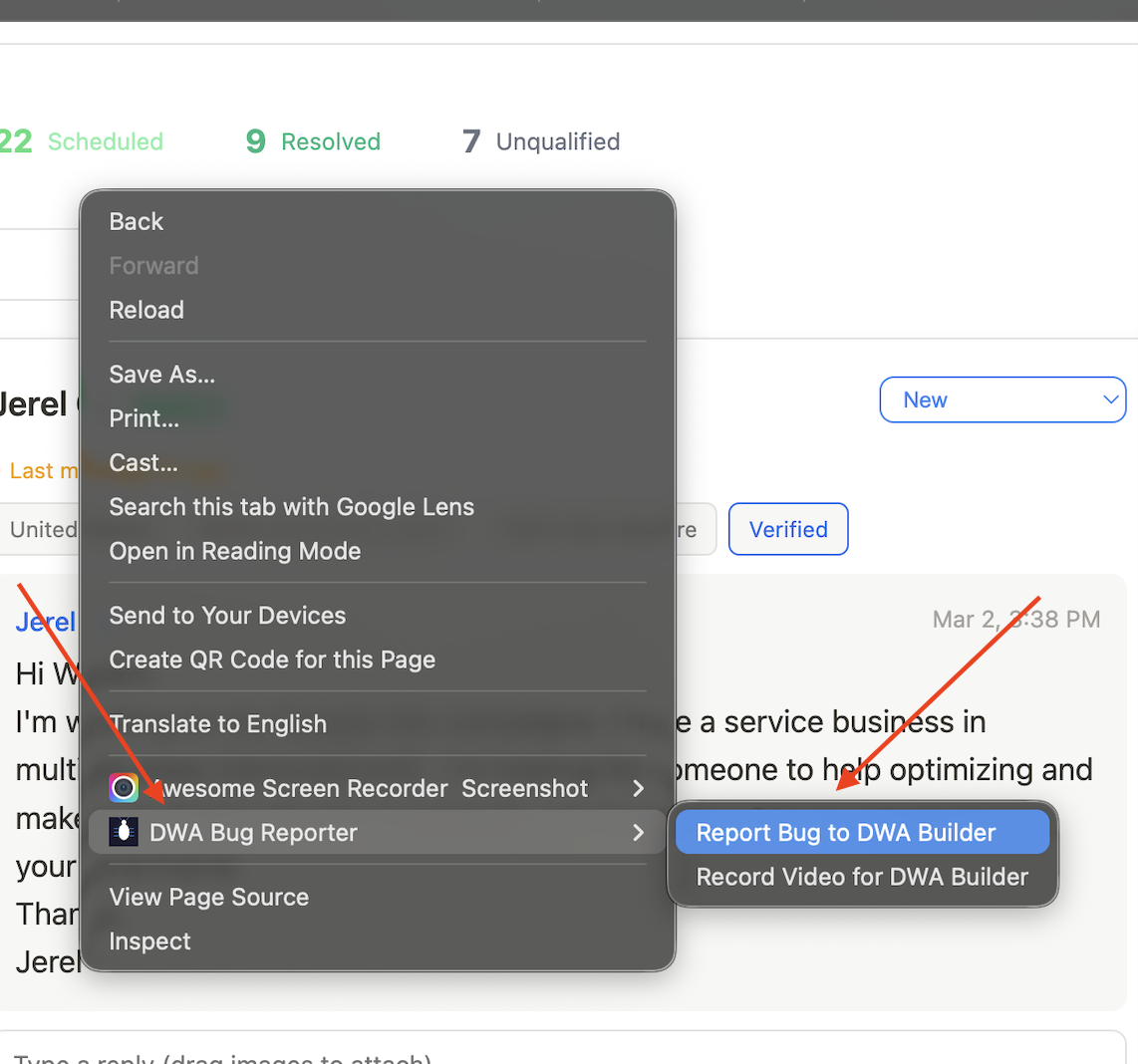
Right-click anywhere on the page you want to report a bug on, then select DWA Bughunter:
📷
"Report Bug to DWA Builder" — takes a screenshot, then lets you draw a rectangle around the issue, describe it, and submit
🎥
"Record Video for DWA Builder" — records your screen showing the issue, then lets you describe it and submit